Performance Critique: May 2

The Sunday Writer’s Mic

httpv://www.youtube.com/watch?v=652NYhqMwOQ

0m32s Don’t stumble

0m42s These analogies aren’t working

0m51s Go harder with “remix”

1m26s Set this up more, half a sentence isn’t enough, maybe personalize it

2m37s The pacing is off

3m32s Gotta end it on the fast “blurry blurry blark” stuff

Overall: The sand joke needs some work and some tightening but it will be really good in two months. The Netflix joke also needs some tightening, but the first part of it is pretty solid.
Organizing Jokes Using Microsoft Word Outline View

I’ve recently found a great new way to organize my material and I thought I’d share it. (You’ll need Microsoft Word for this, although other programs might have a similar feature.)

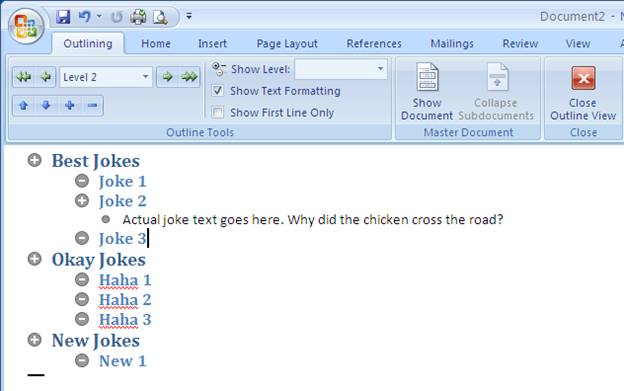
Before I give instructions, here’s what the end result might look like:

image002

Basically, when you click the little “+” button it expands into lower levels of headings and then into the actual joke text. So how do you do this from scratch?

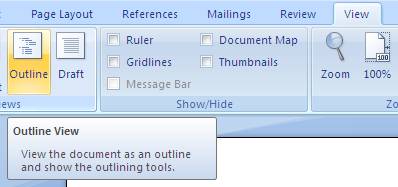
Select View – > Outline

image004

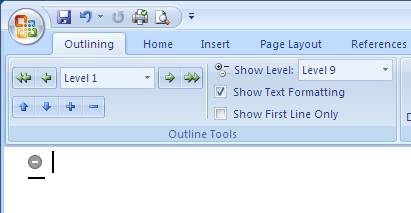
You’ll get a blank screen with one bullet point, that’s your highest level of header

image006

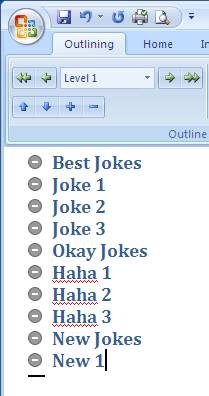
Type in some categories of jokes, then under each category type in the name

image008

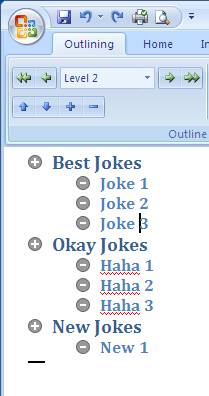
Then highlight the joke title’s (in the above case, Joke 1, Joke 2 and Joke 3) and click the green arrow that’s pointing to the right in orderto indent the jokes. Notice when your cursor is on “joke 1” the “Level 1” sign changes to “Level 2”

image010

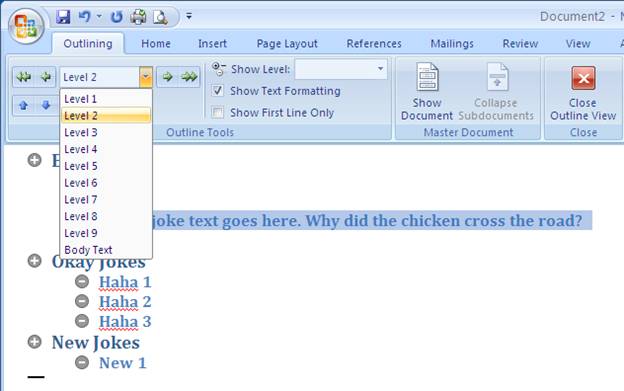
Type in joke text under each joke, then click the little drop down arrow below level 2 and select “body text”

image012

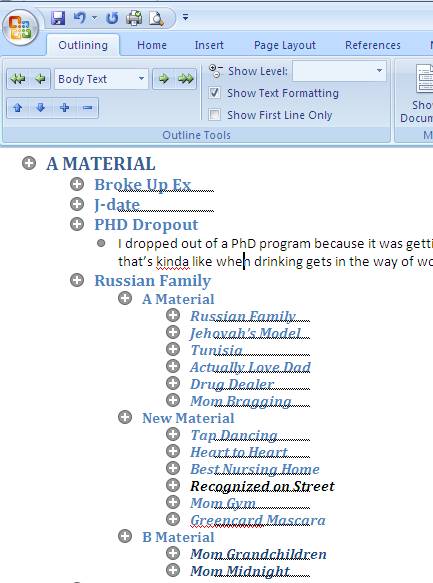
There you go, you’re now more organized with your jokes. Click the “+” and “-“ buttons to expand and collapse joke sections

image014

If you want to view and edit jokes normally, just click on image016

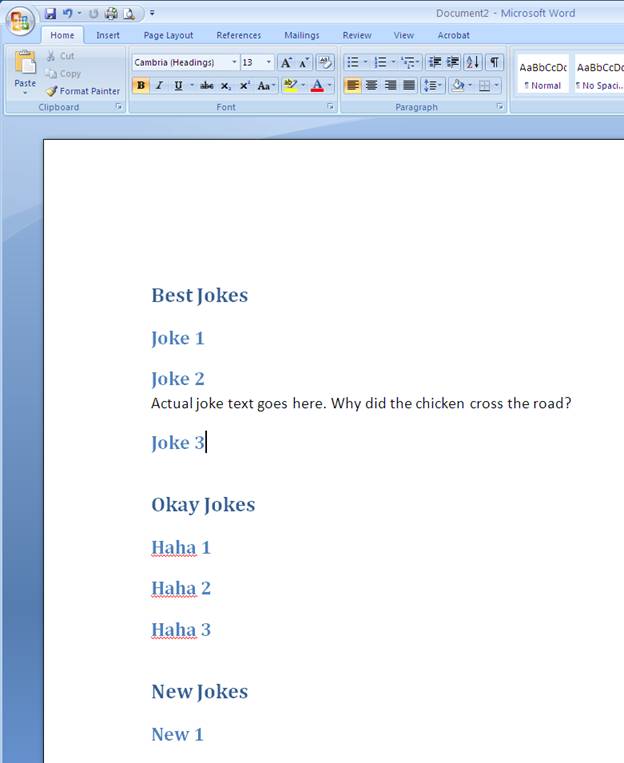
You get the following view:

image018

And yes, this is a pain to do the first time, but once you’re done, you have all your jokes nice and organized and it’s easy to add new jokes to this file, as well as to find a specific joke. Plus, you can now easily build a set list based off of your joke titles.

Wanna try stand-up comedy yourself? I teach a Comedy Class in New York City. I also do private one-on-one comedy coaching (in-person or via Zoom).

More Stand-Up Comedy Tips:

Performance Critique: May 1a

Saturday open mic

httpv://www.youtube.com/watch?v=cF0gqefuNT0

0m33s Cut this joke

1m22s Act out each picture being shown with some motion

1m37s Slow down, a lot

3m33s The first part of the Netflix joke is good, then it’s useless until the “scratched” line

Overall: I need to slow down on the vacation photos joke and the Netflix joke will be good if I get rid of the middle part.

Performance Critique: April 30

A Friday Night Benefit Show

httpv://www.youtube.com/watch?v=HwCrQq6uA-0

1m01s Make a bigger arm motion and bigger facial expression

2m47s That’s one of the funniest responses I’ve ever heard from an audience member

4m23s The mom act out should’ve been angrier

5m11s Good job waiting for them to laugh after “Jehovah’s witnesses”

5m52s Cut the “pamphlet” line

6m36s I should learn to not do the rest of this joke if “perfect” doesn’t get a big laugh

7m05s Bad save line in this situation

7m11s Luckily the Carrot Top line saved the set from ending terribly

Overall: I had a great first 6 minutes and a terrible last minute. The big thing I learned is, if you’re doing a benefit show for some medical charity, avoid suicide and abortion jokes. (Yes, this is obvious in retrospect.)

Verified by ExactMetrics